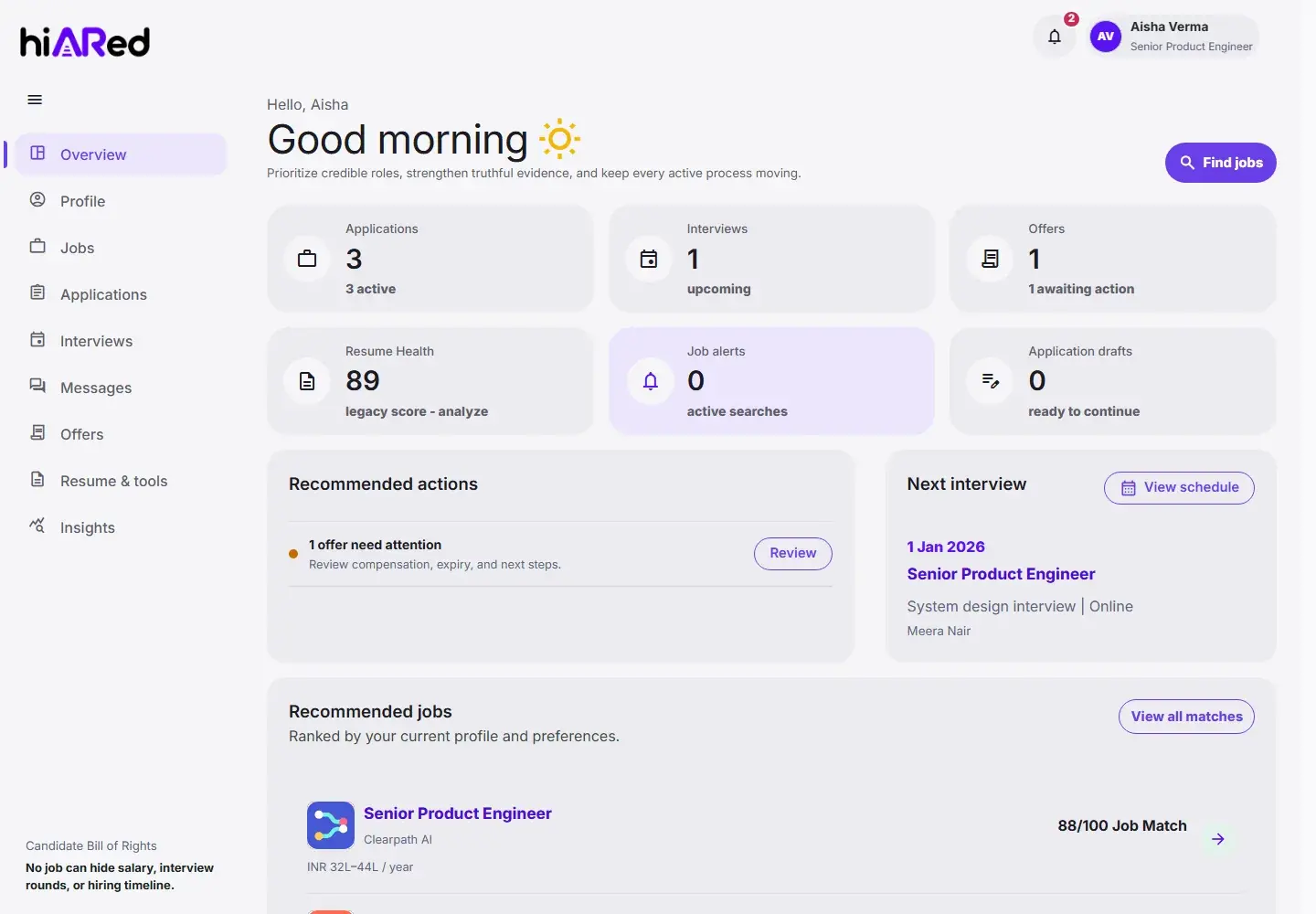
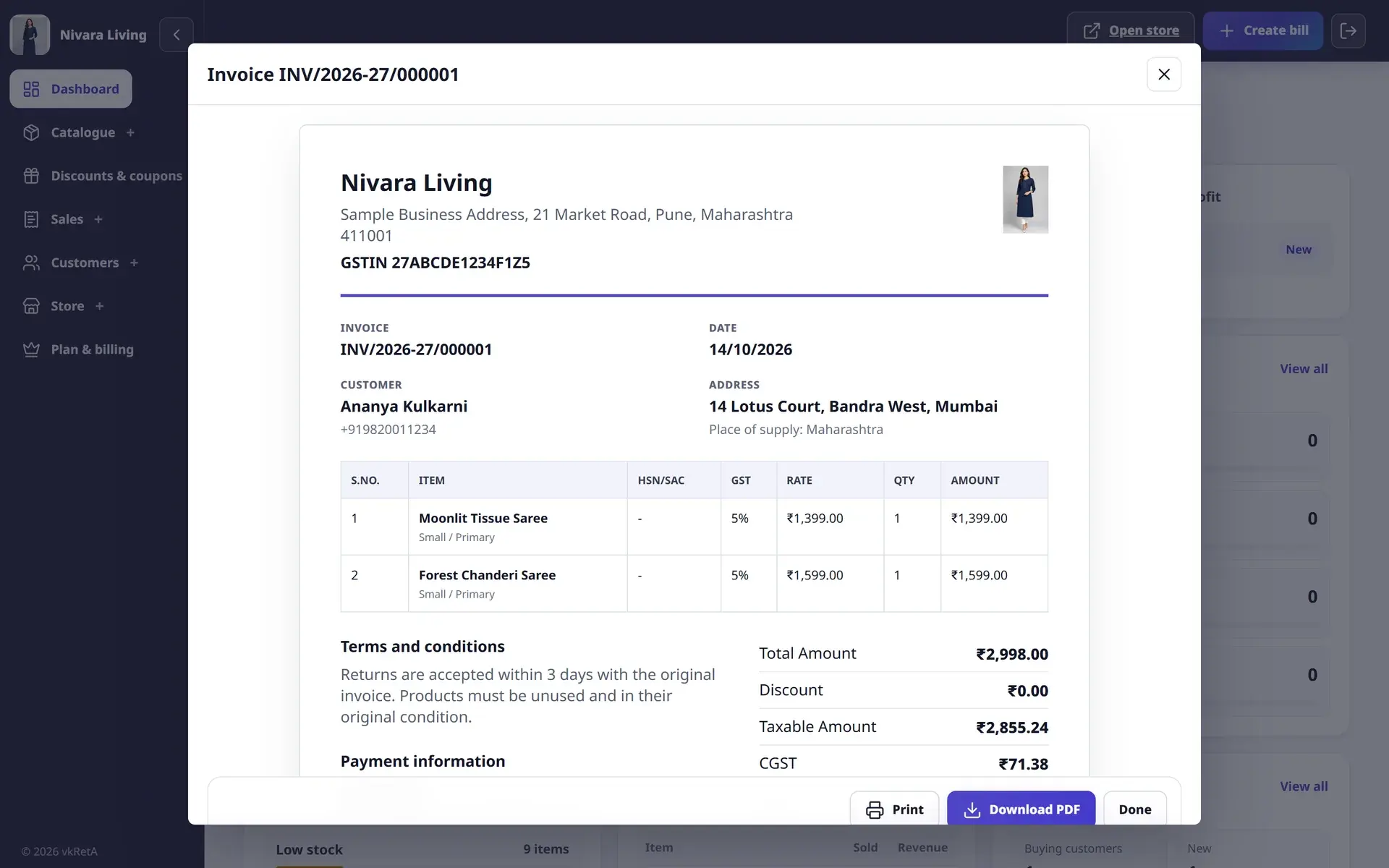
Complex workflow redesign
Make high-friction operational tasks easier to understand and complete.

AiRedHQ designs product interfaces, from user research and journey maps to a Figma design system and interactive prototype, for teams launching or fixing a web or mobile product. A typical design sprint delivers a tested prototype and handoff-ready specs in 4 to 6 weeks.
Design system
Foundations
Components
Patterns
Accessibility
Component library
Product foundations
Buttons / states
Recruiter flow
Responsive component anatomy
Align user needs, business constraints and engineering reality in a design system ready to become a product.
Make high-friction operational tasks easier to understand and complete.
Turn dense data into screens that show what changed and what needs action next.
Test structure and behavior with users before committing to full engineering.
Find and fix contrast, focus, keyboard and screen-reader problems against WCAG AA.
Teams whose product works but feels hard to use, and teams that want to test an idea before paying for engineering.
Our product ecosystem forces design decisions to survive real workflows, multiple roles, edge cases and continuous iteration.
Clarify users, problems, workflows and assumptions before investing in execution.
Organize complex tasks and information into understandable product journeys.
Responsive, accessible interfaces with deliberate hierarchy and interaction.
Reusable foundations that connect brand, product design and coded components.
Concrete artifacts you keep, whoever builds the next version.
Interview and analytics findings, with problems ranked by how often they happen and what they cost.
Each role's path through the product, with the friction points marked.
Organized screens and components, with colour, type and spacing tokens ready for code.
Clickable flows for the key tasks, used in usability tests.
Contrast, focus order, target sizes and screen-reader labels checked and annotated.
Component states, responsive behavior and empty, error and loading cases.
Interviews, analytics and support tickets.
Output: Research summary
Group findings into problems and priorities.
Output: Problem map
Journeys and information architecture for each role.
Output: Journey maps
Key screens, interactive and realistic.
Output: Figma prototype
Usability tests, typically five to eight people per round.
Output: Test findings
Tokens, components and usage guidance.
Output: Design system
Not every design problem needs a redesign. This is how the options compare.
Choose an audit when the product exists and you need a prioritised, evidence-backed list of usability and accessibility problems before deciding what to fix.
Choose a sprint to test one risky idea or flow quickly, with a prototype and a handful of target users.
Choose full SaaS product design when you are building something new or rebuilding core workflows, and want tokens and components engineering can reuse.
Start small and keep going only if it is working. Durations are typical; the first conversation sets the real scope.
Typically 2 weeks
Heuristic review, accessibility check and prioritized recommendations.
Typically 4–6 weeks
Research, prototype and test one key journey.
Typically 8–16 weeks
Full product design with a design system and engineering handoff.
Monthly retainer
Embedded design support alongside your engineering team.
We do not publish fixed prices because scope varies widely. These factors move cost and timeline most; an audit or discovery engagement turns them into a written estimate.
Real names, numbers and long translations break layouts that looked fine with dummy text.
First-run, no-data and failure screens are where new users drop off.
We design with engineering constraints in view, so handoff is not a negotiation.
Contrast, focus order and touch targets are cheaper to design in than to retrofit.
We build and run software of our own. These are the parts that relate to this service.
Design files, tokens and component states are set up so engineering can build them directly.
 Figma
 Storybook
 Adobe XD
 Sketch
 React
 TypeScript
Updated
Yes, and we also work alongside engineering so design decisions remain feasible and consistent through delivery.
Yes. We can audit usability, hierarchy, accessibility and system consistency, then prioritize improvements.
That is the goal. Tokens, component states and responsive behavior are defined with implementation in mind, and components can be documented in Storybook.
Typically five to eight people per round, recruited from your real users where possible. Two short rounds usually teach more than one large one.
Yes. We work mainly in Figma and can pick up existing Sketch or Adobe XD files, migrating them when that helps the team.
Yes. We design responsive web apps, Android and iOS screens and installable web apps from the same design tokens, so the product feels consistent on every device.
A Figma file with components and tokens, an interactive prototype, a research summary, an accessibility audit and handoff specifications engineers can build from.