First salary earners
A salary budget app that turns take-home pay into a daily number, so the month doesn't run out before the money does.


YojIQ is a budget planner app for Android that works offline. Split bills with friends and plan your money in the right order, all without leaving your phone.

Free. No sign-up, no bank linking.
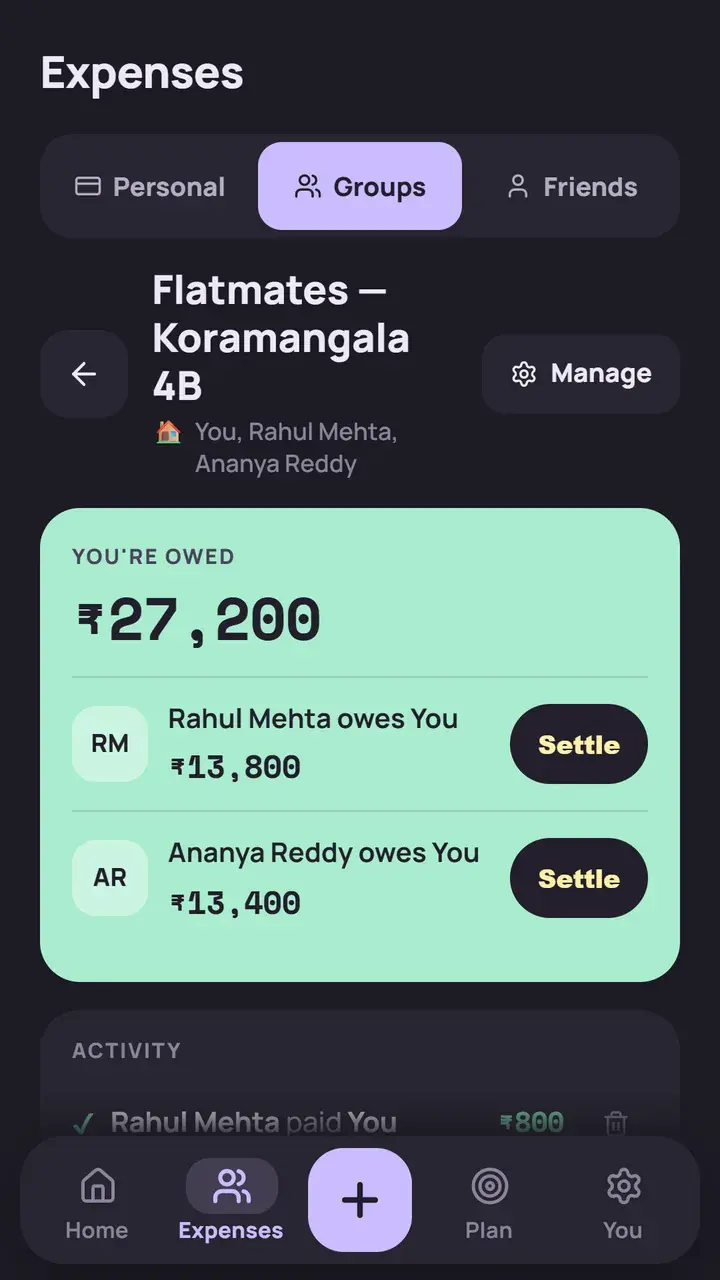
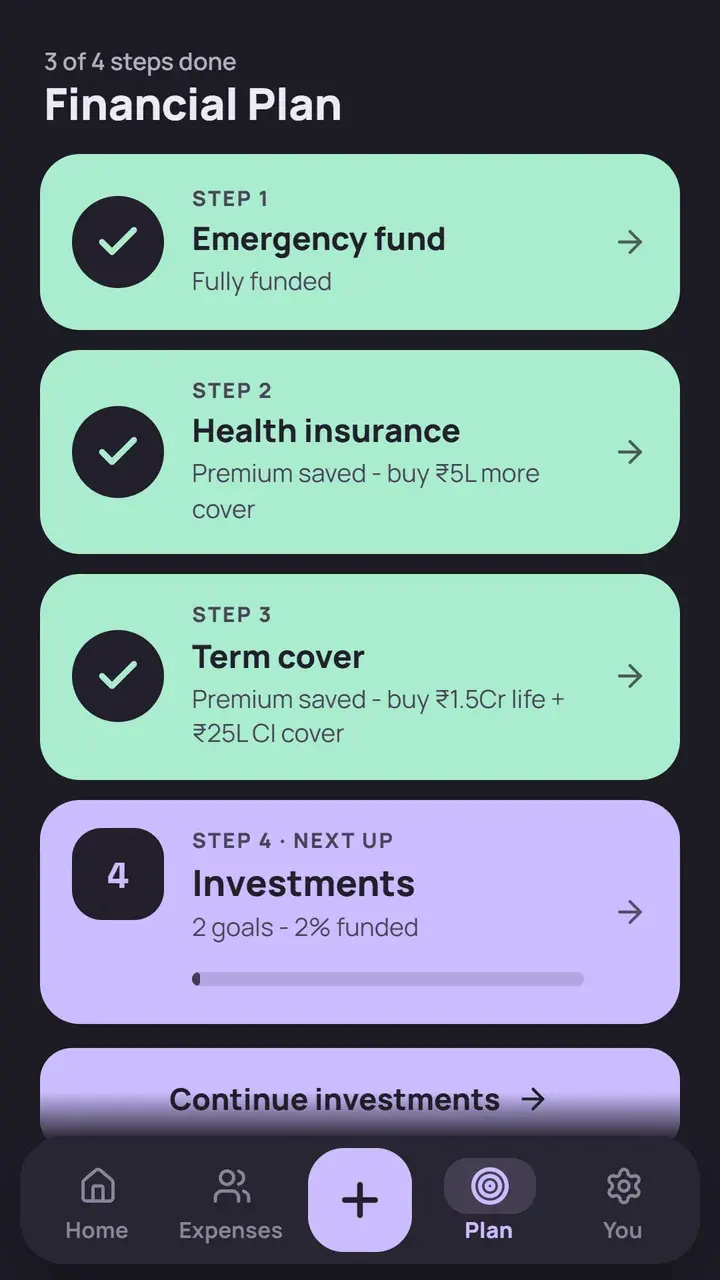
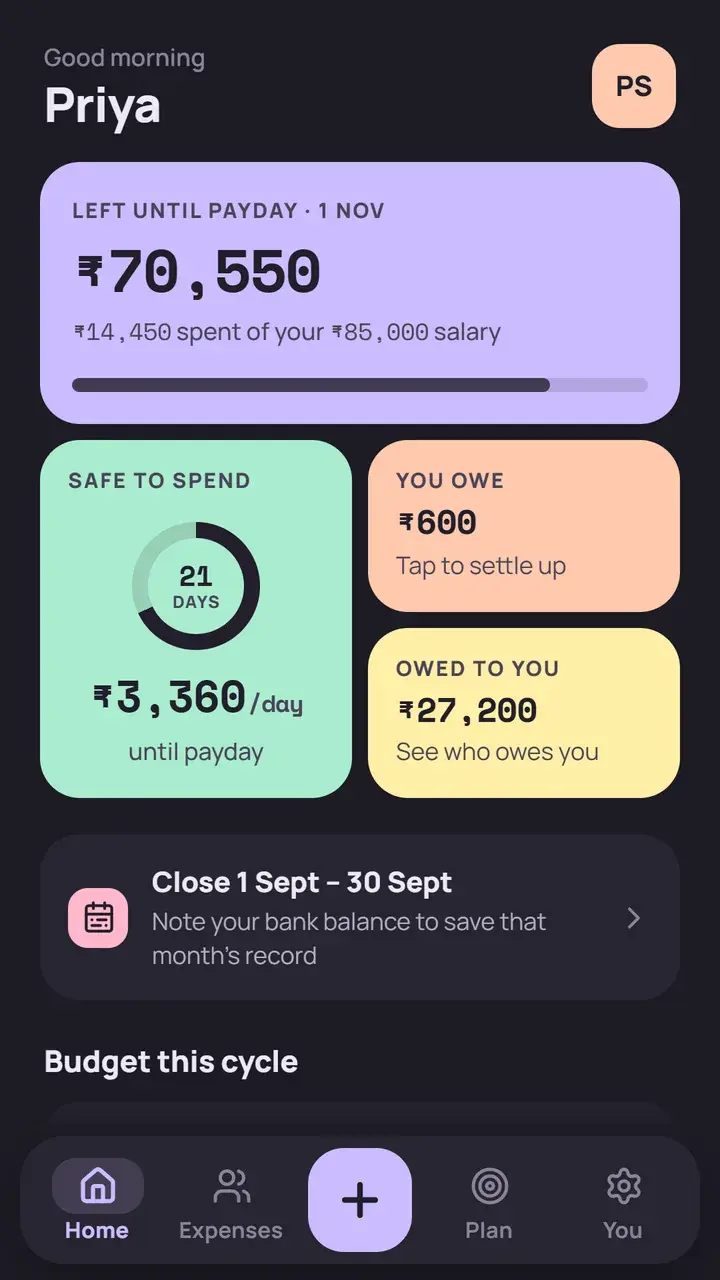
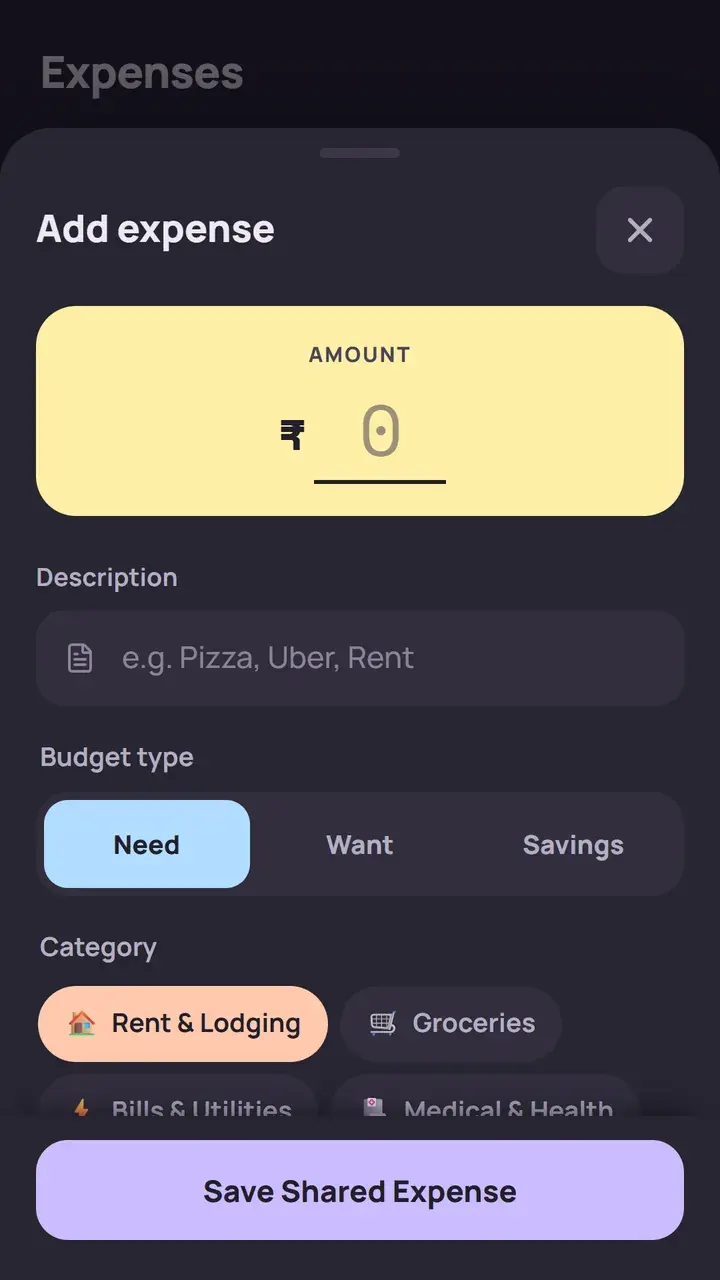
Add an expense as a Need, a Want or Savings, and YojIQ works out what is left for the rest of the month.
YojIQ is built for salaried people in India who want a clear monthly budget and a plan, without handing their financial data to anyone.
A salary budget app that turns take-home pay into a daily number, so the month doesn't run out before the money does.
Split rent, groceries and trips by equal amounts, exact amounts, percentages or shares, and settle up with fewer payments.
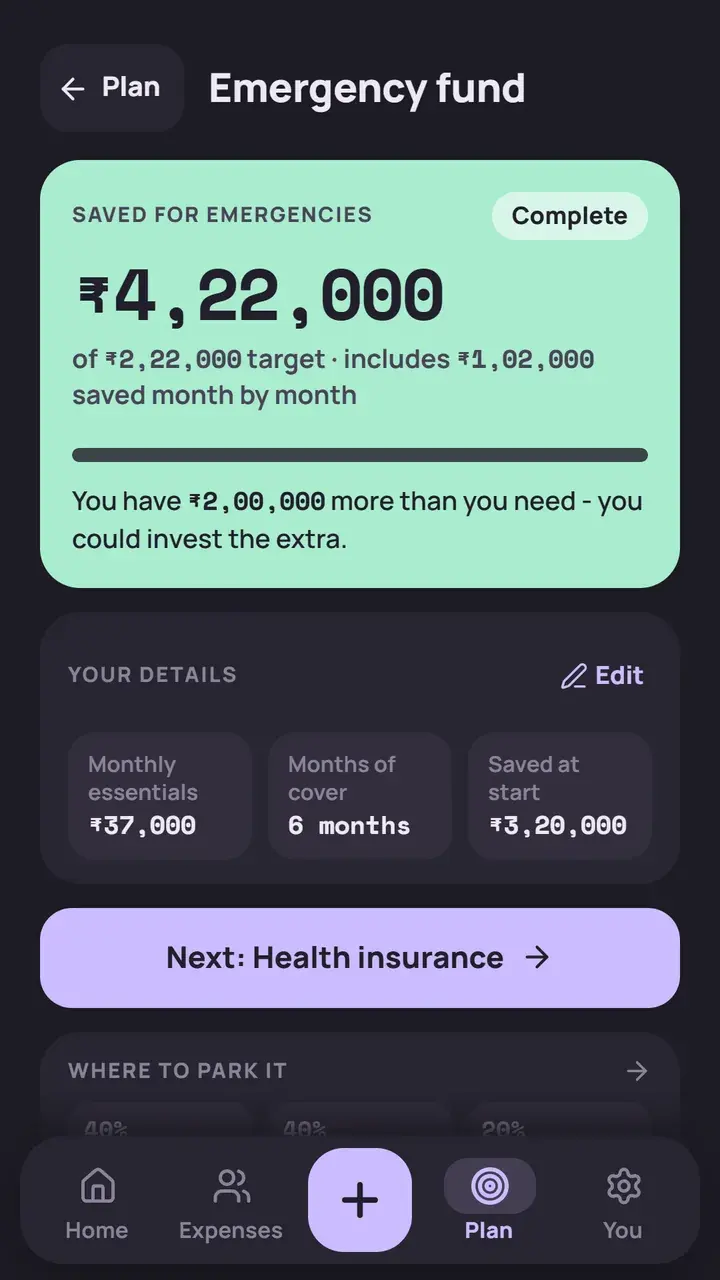
Build an emergency fund first, then work out health and term cover before starting SIPs.
No sign-up, no bank linking and no internet permission. Your numbers never leave the phone.
A 50-30-20 budget by default and a four-step plan that tells you what to do next, in order.
An offline expense tracker that works the same on a train, in a basement or on flight mode.
Five habits, from payday to month end. Each takes a few taps.
Enter your salary and payday. Budgets split into Needs, Wants and Savings, 50-30-20 by default.
Mark each one a Need, a Want or Savings, and set up recurring expenses once.
See money left till payday and a safe amount to spend today.
Match your bank balance at month end to keep a clean record for the next cycle.
Work through emergency fund, health insurance, term insurance and investments in order.
Keep friends and groups in one place. Add who paid, even when more than one person did, and settle up with the fewest payments.
Four ways to split any bill, with debts simplified when you settle.
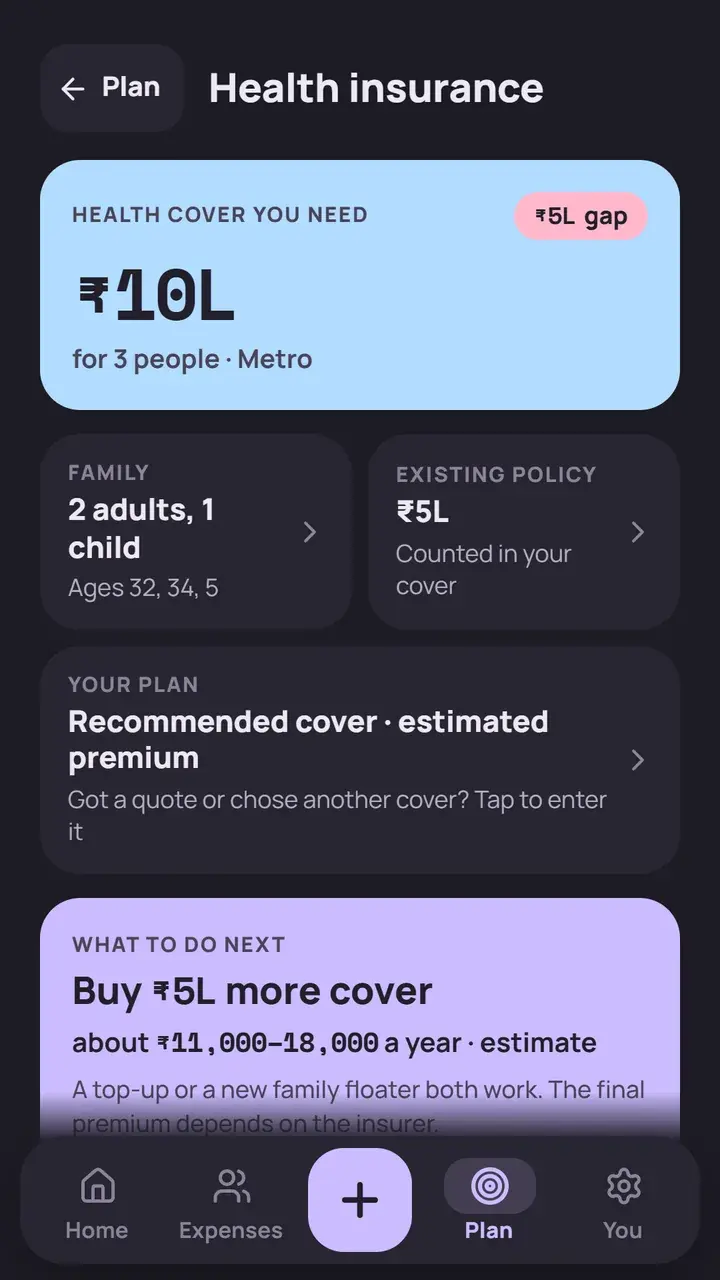
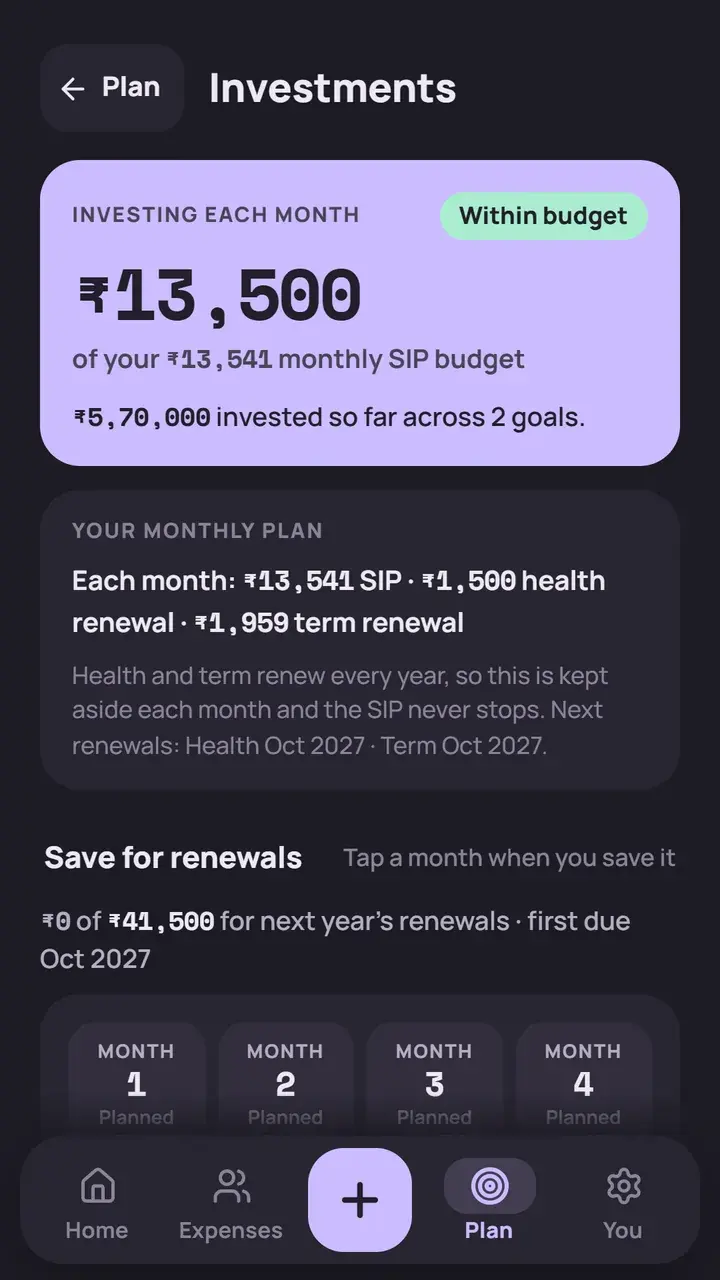
Four steps that unlock one after another, so the basics are in place before you invest. Already have a policy or a quote? Enter your own cover and the plan works from that.
A month-by-month plan to build your safety net.
Cover worked out from your family and your city.
Life and critical illness cover, from your income and loans.
SIP goals, with an optional yearly step-up.
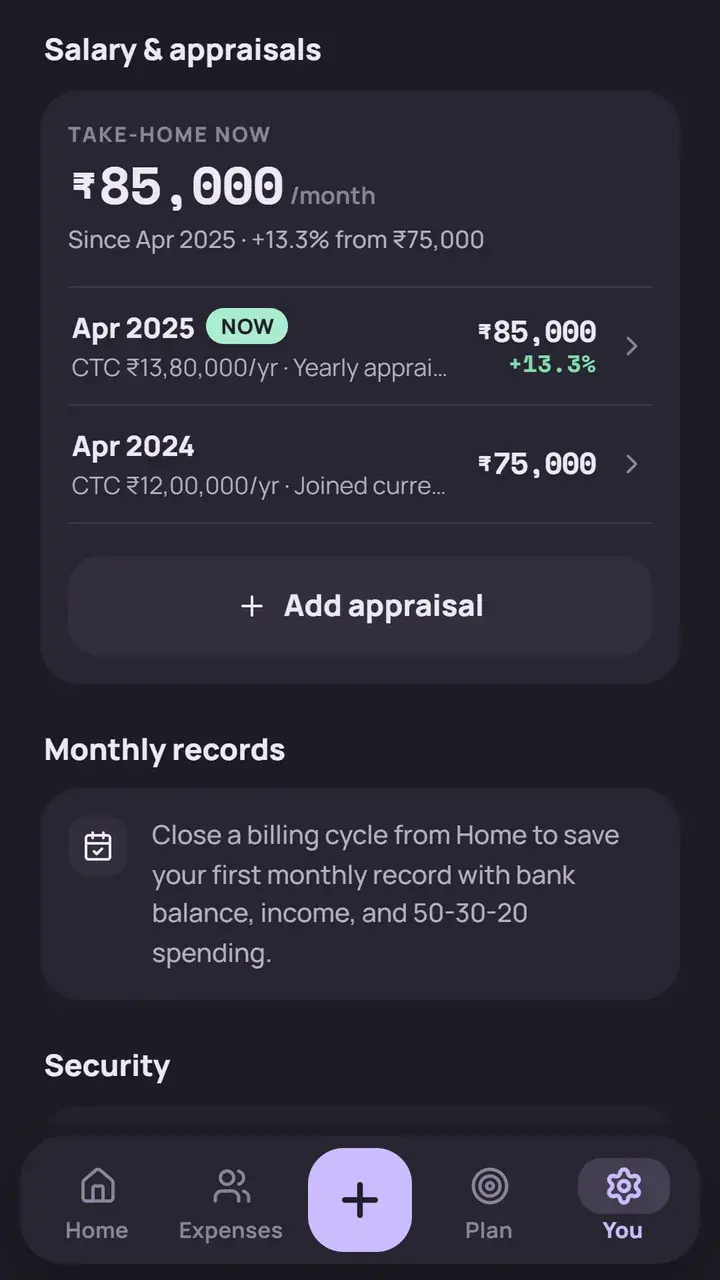
Record an appraisal and your budgets adjust from the next cycle. When you need to check a number, the built-in calculators are a tap away.
YojIQ is a planning tool, not financial advice.
The app has no internet permission. Your data stays on your phone.
Open it and start. You enter only what you choose to.
Nothing about how you spend is watched or sold.
Keep the app closed to anyone else who picks up your phone.
Screens stay out of screenshots and the recent-apps view.
An encrypted backup file that you export and keep yourself.
Most people try a bank-linked expense app or a spreadsheet first. Here is where YojIQ is different.
Bank-linked expense apps and spreadsheets vary. This compares common patterns, not any one product.
Updated
YojIQ is a budget planner app for Android. It shows money left till payday and a safe daily spend, splits bills with friends and guides you through a four-step money plan.
Yes. YojIQ is free to download from Google Play, with no ads.
Yes. The app has no internet permission, so it works fully offline and your data stays on your phone.
No. There is no sign-up and no bank linking. You enter only the numbers you choose to.
Add a bill to a friend or group, record who paid, even if more than one person did, and split it equally, by exact amounts, by percentages or by shares. Settle up shows the fewest payments needed.
The plan unlocks one step at a time: an emergency fund, then health insurance, then term insurance, then investments through SIPs with an optional yearly step-up.
Export an encrypted backup file and keep it yourself. The app also has a PIN lock, and its screens are blocked from screenshots.
No. YojIQ is a planning tool. Its numbers help you think through your own decisions; for advice on your situation, speak to a qualified adviser.